USB-C Data Hub vs HDMI/PD Dock: Which Ports Do You Need?
Compare the HDMI/PD listing and four-port data hub listing using dated listing facts, variant checks and a verdict for your setup.
We may earn a commission when you buy through links on this page. How picks are chosen
Top picks right now
Affiliate feed or dated snapshot · verify checkout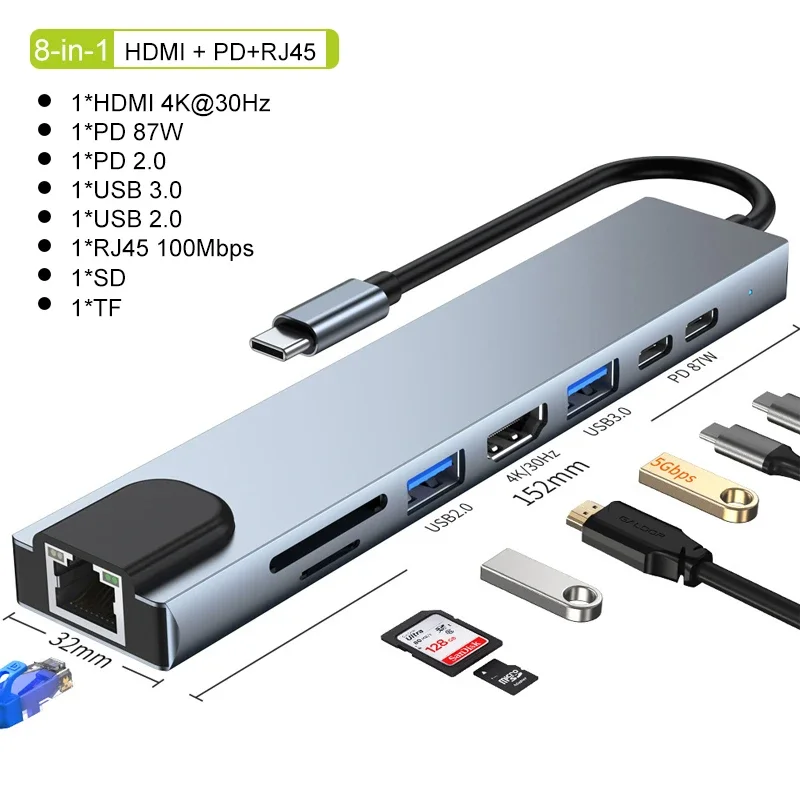
USB C Hub 8In1 7in2 7in1 Type C 3.1 To 4K HDMI Adapter with RJ45 SD/TF Card Reader PD Fast Charge for MacBook Notebook Laptop

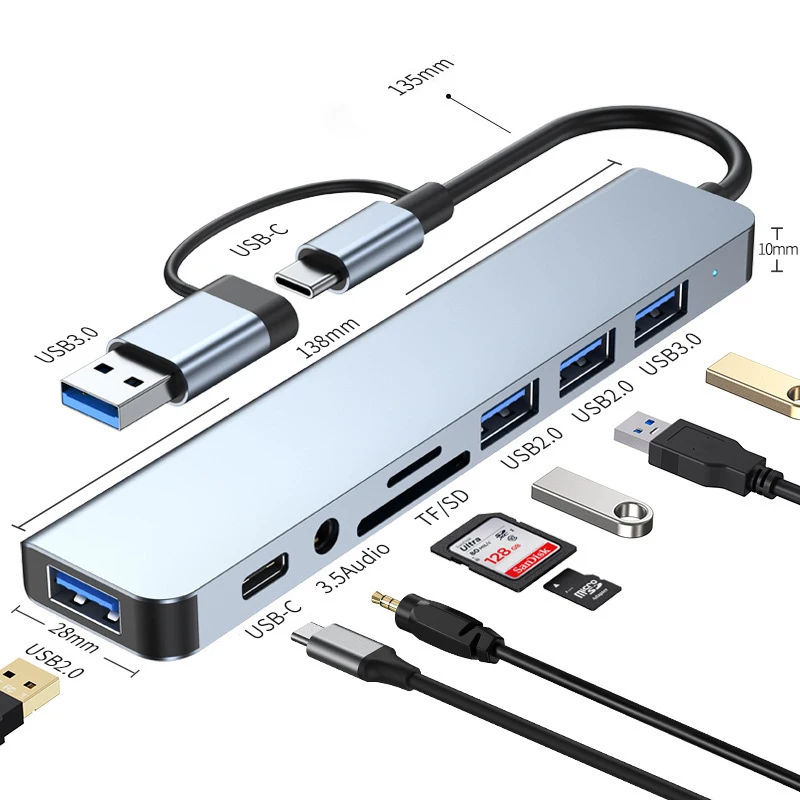
4-Port Multi-Splitter Type C Hub USB Adapter OTG for Xiaomi Lenovo MacBook 13 15 Air pro PC - Computer Accessories
Key Takeaways
- ✓Choose the HDMI/PD option when its selected variant includes the display or network ports you need.
- ✓Choose the four-port hub for peripherals after confirming connector types and data rates.
- ✓For laptop charging, require explicit PD output limits for the selected variant.
- ✓For monitor use, confirm both laptop compatibility and the required HDMI refresh rate.
Find exactly what you need
BestCart AI checks available affiliate inventory. Verify the seller, reviews, specifications, shipping, and final price before buying.
Search with AIChoose between a listing that advertises HDMI, card readers, networking and PD, and a four-port USB adapter listing. The first pinned product is the HDMI/PD option; the second is the data hub. Hub and dock labels are less useful than a port list that matches your devices.
Shortlist the HDMI/PD option for a desk setup that needs display output or charging through the adapter, subject to variant and laptop compatibility checks. Shortlist the four-port option for USB peripherals when you do not need the extra functions advertised by the first listing.
Who should pick A
Pick the HDMI/PD listing when you need functions beyond extra USB ports. Its title names 8In1, 7in2 and 7in1 versions together, along with 4K HDMI, RJ45, SD/TF and PD. It does not assign those ports to each version or state the HDMI refresh rate or PD wattage. Match the selected variant to your monitor, network connection and charger.
Who should pick B
Pick the four-port listing for a peripheral setup after checking the connector types and data rates. Its title describes a four-port Type C hub, USB adapter and OTG. It does not state HDMI output, Ethernet or PD charging. If those are required, this title is insufficient evidence to select it.
Best matches under $50
Affiliate feed or dated snapshot · verify checkoutUSB C Hub 8In1 7in2 7in1 Type C 3.1 To 4K HDMI Adapter with RJ45 SD/TF Card Reader PD Fast Charge for MacBook Notebook Laptop
4-Port Multi-Splitter Type C Hub USB Adapter OTG for Xiaomi Lenovo MacBook 13 15 Air pro PC - Computer Accessories
Side-by-side: what the listings state
Snapshot reference date: September 3, 2026. Prices are shown in the product cards; the comparison below uses the snapshot sale prices in US dollars. Ratings are derived values on a five-point scale, rounded to two decimal places. Volume is the recorded orders field, not a review count or a test of performance.
- A listing name: USB C Hub 8In1 7in2 7in1 Type C 3.1 To 4K HDMI Adapter with RJ45 SD/TF Card Reader PD Fast Charge for MacBook Notebook Laptop. Reference price: the higher-priced of the two at snapshot time. Derived rating: 4.56 out of 5. Recorded volume: 24,981 orders. Category: Computer & Office.
- B listing name: 4-Port Multi-Splitter Type C Hub USB Adapter OTG for Xiaomi Lenovo MacBook 13 15 Air pro PC - Computer Accessories. Reference price: the cheaper of the two at snapshot time. Derived rating: 4.70 out of 5. Recorded volume: 20,191 orders. Category: Computer & Office.
What to verify before checkout
- Ask the HDMI/PD seller for a port diagram for the exact 8In1, 7in2 or 7in1 variant. - Check your laptop documentation and the listing for compatible display output, HDMI resolution and refresh rate. - Ask for PD input and laptop charging output limits, and whether a charger is included. - For the four-port hub, confirm upstream connector, downstream connector types, per-port data rates and external power requirements for your peripherals.
Verdict by use case
For a monitor, card reader or wired network connection, start with the HDMI/PD listing and confirm the specific ports on the selected variant. For a mouse, keyboard or other USB peripherals, consider the four-port hub after checking connectors and power needs. If you require laptop charging, do not infer it from a USB-C connector alone. For the broader category guide, see /blog/best-usb-c-hubs-aliexpress.